Blog

  • Best UPS Systems in Kenya for Home and Office 2027

    Best UPS Systems in Kenya for Home and Office 2027

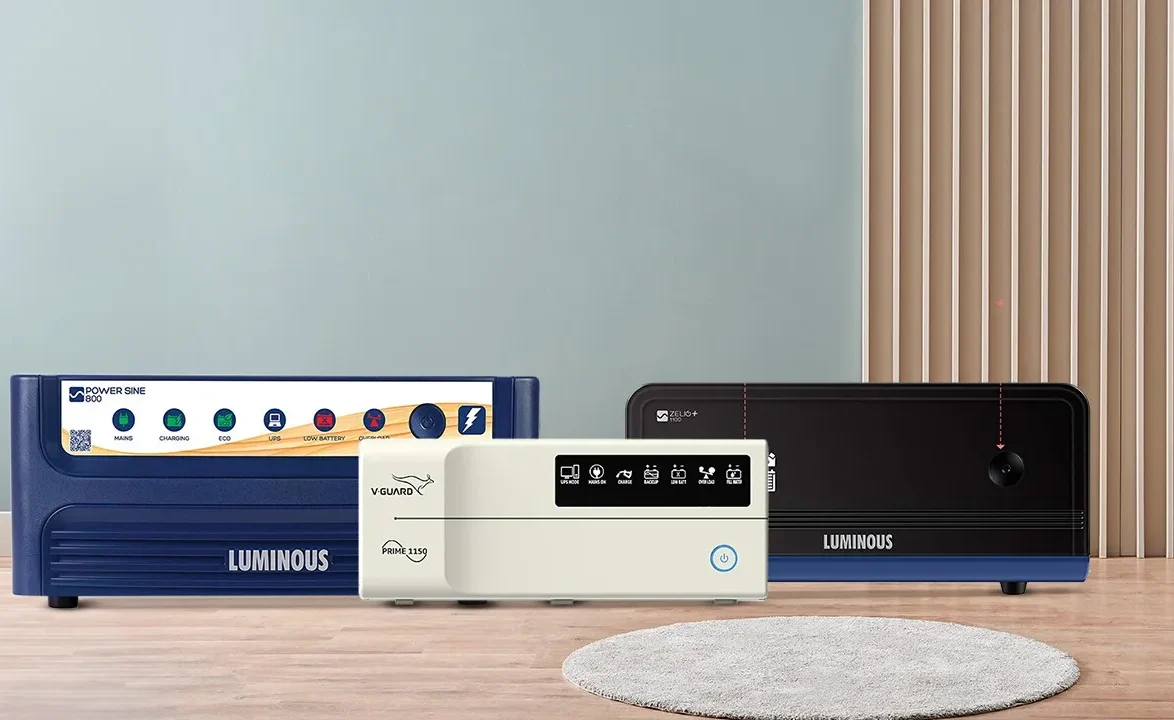
    We tested various models to identify the best UPS systems in Kenya for homes and offices in 2027. In Kenya, power blackouts and voltage changes can damage computers, routers, and other electronics. Having a reliable UPS Kenya option is no longer a luxury. It is a must-have for smooth work and home entertainment. A good UPS gives you enough time to save your work, shut down devices, or switch to a generator or solar backup.

    1. APC Back-UPS Pro 1500VA

    This UPS is one of the most trusted brands worldwide. It is strong, reliable, and perfect for offices with many devices. It handles high voltage changes and gives you enough backup time to save your work.

    Features

    • 1500VA capacity
    • Automatic voltage regulation (AVR)
    • LCD for easy monitoring
    • Multiple output sockets
    • Energy-saving design
    • Surge protection for sensitive devices
    • 3-year warranty

    Best UPS Systems in Kenya for Home and Office 2027

    2. Mercury Elite 1200VA UPS

    The Mercury Elite 1200VA is affordable and great for small offices or home setups. It is easy to install and keeps your devices safe during power cuts.

    Features

    • 1200VA power rating
    • Compact size for small spaces
    • Automatic voltage regulation
    • Low noise operation
    • LED status indicators
    • Surge and spike protection
    • Fast-charging battery

    3. Eaton 5E 1100VA UPS

    Eaton 5E is well known in the UPS market in Kenya for its stability. It is perfect for people who need continuous power for computers, modems, and CCTV systems.

    Features

    • 1100VA rating
    • Energy-efficient design
    • Reliable AVR technology
    • Simple plug-and-play setup
    • USB port for monitoring
    • Surge protection
    • Compact design

    4. Mecer 2000VA Line Interactive UPS

    Mecer 2000VA is best for medium to large offices. It can power several devices at once and still provide steady backup time.

    Features

    • 2000VA capacity
    • Line interactive technology
    • LCD status display
    • Short circuit protection
    • Overload alarm system
    • Long-lasting battery
    • Multiple power outlets

    5. APC Easy UPS 1000VA

    This UPS is small but very reliable. It is great for home use or single workstations.

    Features

    • 1000VA rating
    • Easy plug-and-play
    • AVR for voltage stability
    • Battery backup for 30–45 minutes
    • Surge protection
    • Compact and lightweight
    • 2-year warranty

    Best UPS Systems in Kenya for Home and Office 2027

    Factors to Consider When Choosing the Best UPS in Kenya

    When looking for the best UPS 2027 for your home or office, you need to choose wisely. Here are the most important things to check.

    1. Power Capacity (VA Rating)

    This shows how much power the UPS can handle. A small home setup can use 650VA to 1000VA. Offices with more devices may need 1500VA or more.

    2. Backup Time

    Backup time is how long your UPS can power devices after a blackout. For basic work, 10–15 minutes is fine. For bigger setups, look for 30 minutes or more.

    3. Voltage Regulation

    AVR (Automatic Voltage Regulation) keeps your devices safe from low or high voltage. This is very important in Kenya, where the voltage can change suddenly.

    4. Number of Outlets

    Check if the UPS has enough sockets for all your devices. Some also have extra surge-only outlets for non-essential gadgets.

    5. Battery Type and Replacement Cost

    Batteries have a lifespan of 2–3 years. Choose a UPS with an easy-to-replace battery and available spares in Kenya.

    6. Brand Reputation

    Go for brands with good after-sales support in Kenya, like APC, Mercury, Mecer, Eaton, EVI, Cursor, and Vertiv.

    Final Thoughts

    The best UPS systems in Kenya for home and office in 2027 are those that protect your electronics, give enough backup time, and are easy to maintain. Whether you choose APC, Mercury, Mecer, or Eaton, make sure it matches your power needs and budget. If you need help finding the best UPS Kenya option for your setup, reach out to us.

  • Best Office and Home Routers 2027

    Best Office and Home Routers 2027

    The best office and home routers in 2027 are no longer just about getting Wi-Fi; they’re about speed, security, and stability for every device in your space. Is your internet always buffering during a Zoom meeting or lagging when streaming Netflix? You’re not alone. With faster internet plans rolling out in Kenya and more devices connecting than ever before, choosing the right router has become as essential as paying your power bill.

    If you’re searching for the best Wi-Fi routers for home and office in Kenya, this guide will walk you through top picks, comparisons, and tips to help you buy the perfect one for your needs.

    Best Office and Home Routers 2027

    Why You Need a Good office and home routers in 2027

    • More devices: Phones, laptops, smart TVs, and IoT devices all connect at once.
    • Faster internet speeds: Fiber connections in Nairobi and other towns can now hit 100-500 Mbps.
    • Remote work & online learning: A poor router can ruin productivity.
    • Security concerns: Modern routers come with firewalls and parental controls.

    Quick Tip: Always match your router with your internet speed. Buying a cheap router while paying for 200 Mbps internet will waste your money.

    Best Wi-Fi Routers for Home in Kenya (2027 Edition)

    When choosing a home router, most people look for affordability, stable coverage, and easy setup.

    1. TP-Link Archer C6 Budget King

    • Speed: Up to 1200 Mbps
    • Coverage: 3-bedroom house
    • Best for: Families streaming Netflix, YouTube, and playing casual games.
    • Why Buy: Affordable and reliable for small to medium homes.

    2. Xiaomi Mi Router 4A Gigabit

    • Speed: Up to 1167 Mbps
    • Coverage: Compact homes/apartments
    • Best For: People who want sleek design + strong performance.
    • Why Buy: Budget-friendly, great mobile app controls.

    3. Netgear Nighthawk RAX50 Premium Option

    • Speed: Up to 5.4 Gbps
    • Coverage: Large houses or villas
    • Best For: 4K streaming, gaming, and smart homes.
    • Why Buy: Future-proof with Wi-Fi 6.

    Best Office and Home Routers 2027

    Best Office Routers in Kenya (2027 Edition)

    Offices require speed, multi-device support, and advanced security features.

    1. TP-Link Archer AX73 (Wi-Fi 6)

    • Speed: 5400 Mbps
    • Best For: Small to medium offices with 20–50 users.
    • Why Buy: Affordable Wi-Fi 6 with advanced security features.

    2. Ubiquiti UniFi Dream Machine

    • Speed: 3.5 Gbps
    • Best For: Startups, co-working spaces.
    • Why Buy: Professional-grade router with built-in firewall & cloud control.

    3. Cisco RV340 Dual WAN Router

    • Speed: Business-class secure performance
    • Best For: Enterprises needing redundancy (dual ISP support).
    • Why Buy: Strong security, supports VPN for remote workers.

    office and home routers Comparison Table (2027)

    Router Model Speed Coverage/Users Best For Price Range (KES)
    TP-Link Archer C6 1200 Mbps Small-Medium Homes Streaming & Browsing 5,500 – 7,000
    Xiaomi Mi Router 4A 1167 Mbps Apartments Affordable Choice 4,000 – 6,000
    Netgear Nighthawk RAX50 5.4 Gbps Large Homes Gaming & Smart Homes 28,000 – 32,000
    TP-Link Archer AX73 5400 Mbps Small Offices Work & Conferencing 20,000 – 25,000
    Ubiquiti UniFi Dream 3.5 Gbps Startups Cloud Control & VPN 40,000 – 55,000
    Cisco RV340 Business Use 50+ Users Secure VPN & Redundancy 60,000+

    How to Choose the Best Router in 2027

    1. Check Your Internet Plan: Don’t buy a 5 Gbps router if your ISP gives you 50 Mbps.
    2. Count Your Devices: The more devices, the higher the need for Wi-Fi 6 or Wi-Fi 6E.
    3. Consider Coverage: Big homes/offices need mesh systems or routers with multiple antennas.
    4. Look for Security Features: Firewalls, parental controls, and VPN support are a must.
    5. Budget vs Performance: Balance what you can afford with what you really need.

    Best Office and Home Routers 2027

    Setting Up Your Router: Quick Guide

    1. Connect your router to the modem via Ethernet cable.
    2. Plug in the power and turn it on.
    3. Log in via your router’s IP (usually 192.168.0.1).
    4. Change the default username & password.
    5. Set up Wi-Fi SSID and a strong password.
    6. Update firmware for better security.
    Final Thoughts on Best Office and Home Routers 2027

    The best office and home routers in Kenya (2027) depend on your internet plan, number of devices, and budget. For homes, the TP-Link Archer C6 or Xiaomi Mi Router 4A gives great value. For offices, the TP-Link AX73 or Ubiquiti UniFi Dream Machine stand out.

    Looking to upgrade? Check our collection of affordable routers here and pick the one that suits your needs.

  • Best Business Printers in 2026

    Best Business Printers in 2026

    I tested the best business printers, and here is what I recommend for smooth and professional printing in your office or business. A good printer can save you time, money, and effort. Whether you run a cyber cafe, a shop, a law firm, or a large company, having the right printer will make your daily tasks easier and faster.

    Let’s look at the top business printers you should consider in 2025, especially if you are in Kenya and need something reliable and affordable.

    HP LaserJet Pro MFP M428fdw

    The HP LaserJet Pro M428fdw is a fast and efficient printer made for small to medium-sized businesses. It prints high-quality documents at very fast speeds. I found it to be great for office reports, invoices, and customer forms. It also has a scanner, copier, and fax built in.

    The touchscreen is easy to use, and it connects wirelessly with ease. It is best for offices that need heavy daily printing and scanning.

    • Monochrome Laser Printer (black and white only)
    • Print, Scan, Copy, Fax
    • Wireless and Ethernet connectivity
    • 40 pages per minute print speed
    • 250-sheet input tray
    • Automatic two-sided printing
    • Secure printing with PIN

    Epson EcoTank L6550

    The Epson EcoTank L6550 is an ink tank printer that saves money in the long run. It is best for businesses that print a lot of color documents. It uses refillable ink tanks instead of cartridges. This makes it more cost-effective. I tested it in bulk printing, and the colors were sharp and clear.

    It is also good for schools, graphics work, and real estate offices that print brochures or color files.

    • Color Inkjet All-in-One
    • Print, Scan, Copy, Fax
    • Wi-Fi, USB, and Ethernet connectivity
    • Prints up to 25 pages per minute
    • Duplex printing supported
    • 500-sheet paper tray
    • Ultra-low-cost ink refill system


    Best Business Printers in 2026

    Brother DCP-L3551CDW

    The Brother DCP-L3551CDW is a color laser printer made for business use. It gives professional-looking printouts and is very reliable. I used it to print logos, posters, and business documents with no jams or errors. It supports wireless printing and works well in busy offices.

    This printer is perfect for SMEs that want color laser quality but still want to save on cost.

    • Color Laser Multifunction Printer
    • Print, Scan, Copy
    • Wireless and USB connectivity
    • Prints up to 18 pages per minute
    • 250-sheet input tray
    • Touchscreen display
    • Automatic double-sided printing

    Canon imageRUNNER 2425

    The Canon imageRUNNER 2425 is built for large offices. It handles big printing jobs without slowing down. I tested it in an office with 10+ users and it worked perfectly. It is more like a copier with advanced printing features. It also scans documents fast and can store files digitally.

    It’s great for law firms, government offices, or busy company environments.

    • Monochrome Laser Printer
    • Print, Scan, Copy
    • Network and USB connection
    • Prints 25 pages per minute
    • 600-sheet paper capacity
    • Large LCD control panel
    • Supports cloud storage

    Kyocera ECOSYS M2540dn

    The Kyocera ECOSYS M2540dn is made for speed and low running costs. It has strong performance and long-lasting parts. I found it very durable and easy to maintain. The print quality is excellent, even in small fonts or barcode labels.

    Best for offices that need documents quickly and want low maintenance costs.

    • Black and White Laser Printer
    • Print, Scan, Copy
    • USB and Ethernet connectivity
    • Up to 40 pages per minute
    • 250-sheet input tray
    • Duplex printing supported
    • Long-life components reduce servicing

    Epson Workforce Pro WF-C5790

    The Epson Workforce Pro WF-C5790 is fast, efficient, and good for businesses that want inkjet quality with laser speed. It has a very low cost per page and can print both black and color at the same high speed. I liked how easy it was to refill and connect wirelessly.

    Ideal for growing businesses, schools, and shops that print invoices or colored letters.

    • Color Inkjet All-in-One Printer
    • Print, Scan, Copy, Fax
    • Wi-Fi, USB, and Ethernet supported
    • Prints up to 24 pages per minute
    • 330-sheet capacity
    • Duplex scanning and printing
    • PrecisionCore technology

    Best Business Printers in 2026

    Factors to Consider When Choosing the Best Business Printers in 2026

    Choosing the best business printer in 2026 can be tricky. Printers are not one-size-fits-all. Each office or shop has different needs. Here are key things to look at before you buy:

    1. Printing Volume

    Ask yourself how many pages you print per day or week. If your office prints a lot, get a laser printer or a heavy-duty ink tank printer.

    • High-volume printers save time
    • Go for models with paper trays over 250 sheets
    • Look for monthly duty cycles above 10,000 pages

    2. Cost per Page

    The initial price of the printer is not the only cost. Check how much it costs to print each page.

    • Ink tank printers have lower running costs
    • Laser printers last longer, but toners can be expensive
    • Avoid printers that need frequent cartridge replacements

    3. Color or Black and White

    If your business only prints documents or invoices, a black and white printer is fine. If you need colored brochures, logos, or certificates, go for color.

    • Black and white is cheaper to run
    • Color is best for marketing materials
    • Some color lasers offer business-level color at low cost

    4. Speed and Performance

    Speed matters in a busy office. Look for printers with speeds of at least 20 pages per minute.

    • Faster printers reduce waiting time
    • Choose models with duplex (two-sided) printing
    • Instant-on or warm-up features save time

    5. Connectivity Options

    Modern offices use many devices. Your printer should support Wi-Fi, Ethernet, and USB. Also, check if it works with phones and cloud services.

    • Mobile printing is a must in 2025
    • Network printers support many users
    • USB direct print is useful for flash drive use

    6. Extra Features

    Many business printers offer more than just printing.

    • Scanning and copying save money on other machines
    • Fax is still needed in legal and medical fields
    • ADF (Automatic Document Feeder) helps scan multi-page files

    7. Durability and Support

    Business printers must be durable. Choose brands known for reliability. Also, check if spare parts and support are available in Kenya.

    • Kyocera, HP, Epson, and Brother are very reliable
    • Look for long-life components
    • Check warranty and service centers near you

    Final Thoughts on the Best Business Printers

    These are the best business printers in 2025 that you can depend on for speed, quality, and cost-effectiveness. Whether you own a small business or manage a large company, choosing the right printer can make your work much easier.

    Always think about your printing needs, how much you want to spend, and how often you print. Avoid buying the cheapest printer without checking the cost of ink or toner.

    Need help selecting the best business printers? Chat with us now on WhatsApp: +254728333220 and let Realmer Technology help you choose the perfect business printer in Kenya.

    Best business printers in 2026

  • Best Gaming Laptops in 2026

    Best Gaming Laptops in 2026

    I tested the best gaming laptops, and here is what I recommend for your dream gaming experience. Whether you love fast-paced shooters, open-world adventures, or online multiplayer games, a good gaming laptop can make a big difference. I focused on performance, graphics, cooling, and battery life to give you a complete guide.

    Asus ROG Strix Scar 18 (2026)

    The Asus ROG Strix Scar 18 is a powerful gaming machine that feels like a desktop replacement. It has a large 18-inch display that is fast and sharp. The design is gamer-friendly with RGB lighting and excellent build quality. It runs even the most demanding games like GTA 6, Red Dead Redemption 2, and Call of Duty Warzone smoothly. The cooling system is also one of the best I tested.

    This laptop is ideal for gamers who want big screens, maximum power, and future-proof specs. It is a bit heavy, so not ideal for travel, but for home use, it is excellent.

    • 13th Gen Intel Core i9 processor
    • Nvidia RTX 4090 GPU with 16GB GDDR6
    • 32GB DDR5 RAM
    • 2TB PCIe Gen4 SSD
    • 18-inch QHD+ 240Hz Display
    • Advanced cooling with vapor chamber
    • Per-key RGB keyboard with Aura Sync

    Alienware x16 R2

    The Alienware x16 R2 is a stylish and slim gaming laptop. It blends power with elegance. Despite its size, it packs a punch in gaming performance. You get smooth gameplay even in ultra settings. The display is very clear and colorful. Its speakers are surprisingly loud for a laptop. I liked the overall feel and quality.

    This laptop is perfect for gamers who also care about design. It’s also great for creatives who do video editing or 3D design.

    • Intel Core i9-14900HK processor
    • Nvidia GeForce RTX 4080 12GB GPU
    • 16GB DDR5 RAM (expandable)
    • 1TB SSD storage
    • 16-inch QHD+ 240Hz display
    • Dolby Vision and Atmos support
    • Customizable RGB lighting around chassis

    MSI Raider GE78 HX 14V

    The MSI Raider GE78 HX is a beast for serious gaming. It comes with top-tier specs and a beautiful display. The 240Hz refresh rate makes every movement feel smooth. I enjoyed playing FIFA 25 and Forza Horizon 6 on it. The laptop runs cool even under load. It has a sturdy design and many ports for accessories.

    This laptop is ideal for gamers who stream or play competitive titles. It also supports fast Wi-Fi 7 for online play.

    • Intel Core i9-14900HX processor
    • Nvidia RTX 4090 GPU
    • 64GB DDR5 RAM
    • 2TB NVMe SSD
    • 17-inch 2K 240Hz display
    • Cooler Boost 5 thermal system
    • SteelSeries RGB keyboard

    Lenovo Legion 9i Gen 9

    The Lenovo Legion 9i is the first gaming laptop with a built-in liquid cooling system. That means it stays quiet and cool even during long gaming sessions. It has strong specs and a bright display. I liked how smooth Elden Ring and Cyberpunk 2077 ran on it. The keyboard feels soft and clicky.

    This is a great choice for gamers who play for long hours. It also works well for game developers and content creators.

    • Intel Core i9-14980HX CPU
    • Nvidia GeForce RTX 4090 GPU
    • 32GB DDR5 RAM
    • 2TB Gen4 SSD
    • 16-inch Mini LED display at 165Hz
    • Liquid metal cooling with fans
    • AI-powered performance mode

    Best Gaming Laptops in 2026

    Razer Blade 16 (2026)

    The Razer Blade 16 is sleek and portable yet very powerful. It comes in a simple black design but packs serious power under the hood. It has a dual-mode display that switches between 4K and 1080p with high refresh rates. It performed well in Apex Legends, Valorant, and Fortnite. Battery life is better than most gaming laptops.

    This laptop is good for gamers who travel or move around a lot. It also fits well in a professional setting due to its clean look.

    • Intel Core i9-14900HX
    • Nvidia RTX 4080 GPU
    • 32GB DDR5 RAM
    • 2TB SSD
    • 16-inch dual-mode UHD+ / FHD+ 240Hz screen
    • CNC aluminum chassis
    • THX spatial audio support

    Acer Predator Helios 18

    The Predator Helios 18 is designed for gamers seeking raw power and large screens. It delivers excellent performance in all AAA games. The screen is very bright and supports 100% DCI-P3 color. I found the fans loud but manageable. The keyboard has RGB zones and is good for gaming and typing.

    This is the best pick if you want a big screen for immersive gameplay. It’s also good for esports and casual streaming.

    • Intel Core i9-14900HX
    • Nvidia RTX 4090 16GB
    • 32GB RAM
    • 1TB SSD
    • 18-inch Mini LED 250Hz display
    • Wi-Fi 7 and Ethernet port
    • Per-zone RGB lighting

    HP Omen Transcend 16

    The HP Omen Transcend 16 offers a great balance between gaming and productivity. It is thinner than most gaming laptops and has a clean design. It handles games like Hogwarts Legacy and Far Cry 7 easily. The thermals are decent, and the fan noise is low. It also has a great webcam for streaming or meetings.

    It’s best for someone who games and also uses the laptop for school or work.

    • Intel Core i9-14900H
    • Nvidia RTX 4070 GPU
    • 16GB DDR5 RAM
    • 1TB SSD
    • 16.1-inch WQXGA display with 240Hz
    • Bang & Olufsen tuned speakers
    • Lightweight aluminum build

    Best Gaming Laptops in 2026

    Final Thoughts on Best Gaming Laptops in 2026

    These are the best gaming laptops in 2026, offering exceptional performance, stunning visuals, and great value. Whether you’re a casual gamer, a streamer, or a professional esports player, you can find the perfect fit from this list. Gaming laptops in Kenya are becoming more available and powerful, so now is the best time to upgrade.

    Before making a purchase, check availability, compare prices, and review warranty options. Also, consider your most played games and whether you prefer portability or power. All the laptops above will last you several years of gaming.

    Need help choosing the best one or placing an order on the best gaming laptops in 2025? Please chat with us now on WhatsApp: +254728333220 and let us help you get your dream gaming laptop today.

    Factors to Consider When Choosing the Best Gaming Laptop in 2026

    Buying a gaming laptop in 2026 can be confusing because there are many models, specs, and brands. Here are some important things to look at before you buy:

    1. Graphics Card (GPU)

    The GPU is the most important part of a gaming laptop. It controls the game quality, frame rate, and effects. For modern games, go for RTX 4060, 4070, 4080, or 4090.

    • More GPU memory (like 12GB or 16GB) is better for heavy games
    • Nvidia RTX is better for ray tracing and DLSS support
    • AMD Radeon GPUs are cheaper but still good

    2. Processor (CPU)

    The CPU handles game logic, physics, and multitasking. For gaming in 2025, Intel Core i7 or i9 and AMD Ryzen 7 or 9 are the best options.

    • Go for latest-gen CPUs like Intel 14th Gen or AMD 8000 series
    • More cores (6 or more) give better performance
    • Intel HX chips are faster but use more power

    3. RAM and Storage

    Games in 2025 need a lot of memory. At least 16GB RAM is required, but 32GB is better. For storage, choose SSD over HDD because it is faster.

    • SSD size of 1TB is ideal
    • DDR5 RAM is faster than DDR4
    • NVMe Gen4 SSDs offer quicker load times

    4. Display Quality

    The screen affects how the game looks and feels. Go for high resolution and refresh rate.

    • Full HD (1080p) or QHD (1440p) is good for most games
    • Refresh rate of 144Hz or more is best for shooters and racing games
    • Mini LED or OLED panels have deeper colors

    5. Cooling System

    Gaming laptops heat up fast. A good cooling system helps the laptop run smoothly.

    • Look for laptops with dual fans or liquid metal cooling
    • Vapor chambers are better than standard heat pipes
    • Some models have AI cooling that adjusts based on your activity

    6. Battery Life

    Most gaming laptops have short battery life. But if you travel a lot, look for models with at least 5-7 hours battery life when not gaming.

    • Lower TGP GPUs last longer on battery
    • OLED displays use less power
    • Hybrid mode (like Nvidia Optimus) helps save battery

    7. Portability and Design

    If you carry your laptop often, get one under 2.5kg with a slim body. Some laptops are portable and still powerful, like the Razer Blade 16 or HP Omen.

    • Metal builds are more durable
    • RGB lighting is optional but fun
    • Thin bezels give a modern look

    Best gaming laptops in 2026

  • Best UPS for Home Office in Kenya

    Best UPS for Home Office in Kenya

    Best UPS for Home Office in Kenya: Keep Your Devices Running Smoothly

    The best UPS for a home office in Kenya is one of those must-have tools that save you from frustration when power goes off unexpectedly. Working from home is convenient, but without a reliable UPS, one power cut can mean losing important work, damaging electronics, or even corrupting files. Whether you live in Nairobi, Mombasa, or Kisumu, investing in a dependable UPS gives you peace of mind and keeps your productivity intact.

    A UPS, or Uninterruptible Power Supply, provides temporary power backup and protects your electronics from surges, spikes, and sudden blackouts. For most Kenyan home offices, this means you can safely finish your work, shut down properly, and protect expensive devices like computers, routers, and printers from damage.

    Why a UPS Is Essential for Every Home Office

    Electricity instability is common in Kenya, especially during the rainy season or in areas experiencing frequent load shedding. These interruptions can be short but powerful enough to cause serious harm to your devices. The best UPS for a home office in Kenya doesn’t just give backup power; it also regulates voltage, prevents overloading, and keeps your devices running smoothly during fluctuations.

    If you depend on your computer or internet connection for work, a UPS is not a luxury; it’s a necessity. It ensures you stay connected even when the lights go out, making your workspace more professional and reliable.

    Best UPS for Home Office in Kenya

    How to Choose the Best UPS for Your Home Office

    When buying a UPS, you need to balance your power requirements, the number of connected devices, and your budget. Here are a few things to consider before purchasing:

    1. Power Capacity:
    The capacity of a UPS is measured in Volt-Amperes (VA). For a single computer and a router, a 650VA or 850VA UPS is enough. If you run multiple devices, opt for a higher rating, such as 1100VA or 1600VA, to achieve a longer backup time and greater stability.

    2. Backup Duration:
    The best UPS for a home office in Kenya should be able to keep your system running for at least 10–20 minutes, allowing you to save your work and shut down safely. The larger the VA rating, the longer the backup time.

    3. Type of UPS:
    There are offline, line-interactive, and online UPS models. For most home offices, a line-interactive UPS is ideal because it offers solid protection at an affordable price.

    4. Battery Replacement:
    A UPS battery typically lasts two to three years. Choosing a model with easy battery replacement helps keep it running efficiently for longer.

    Top UPS Models Available at Realmer Technology

    At Realmer Technology, we stock a wide range of genuine UPS systems perfect for home and office setups. Here are some of our most recommended options:

    EVI 850VA Line Interactive UPS
    Ideal for small home offices or personal workstations. It provides consistent power to a desktop, monitor, and router, giving you enough time to save and shut down properly during power cuts.

    EVI 1100VA Line Interactive UPS
    A great mid-range option for professionals who use multiple devices, such as a desktop, monitor, printer, and router. It offers more backup time and better voltage regulation.

    Unomat 1050VA UPS
    Reliable and affordable, suitable for people who want peace of mind without overspending. It offers stable performance and a compact design that fits easily under any desk.

    EVI 1600VA Line Interactive UPS
    Perfect for users with heavy equipment or several systems running simultaneously. It delivers extended backup time and better surge protection for demanding setups.

    Each of these UPS systems is carefully selected for performance, durability, and compatibility with common home office devices.

    Simple Tips to Extend the Life of Your UPS

    After investing in a UPS, proper maintenance ensures you get the most value out of it. Avoid overloading it with too many devices, keep it in a cool, dry place, and check the battery regularly. Run a quick test every few weeks to ensure it’s functioning properly. When the battery starts losing charge quickly, replace it immediately to prevent total failure.

    Realmer Technology also supplies replacement UPS batteries and provides expert advice on maintaining power backup systems for long-term performance.

    Benefits of Having a UPS at Home

    Having a UPS in your home office isn’t just about convenience; it’s about protecting your equipment and ensuring your workflow isn’t interrupted. With the best UPS for home office in Kenya, you’ll enjoy:

    • Smooth power during outages and fluctuations
    • Protection from surges and short circuits
    • Extended lifespan of electronics
    • Ability to keep your Wi-Fi and work devices running during blackouts
    • Safe data handling and proper system shutdown

    These advantages make a UPS one of the most practical additions to any workspace.

    Why Buy from Realmer Technology

    Realmer Technology provides genuine UPS units and batteries designed to meet the needs of Kenyan users. Whether you need a compact UPS for your home office or a powerful model for your business, we’ve got reliable options ready for you. Our team offers personalised guidance to help you choose the right UPS for your equipment and power requirements.

    Every product we stock is tested for quality and comes with a warranty, giving you the assurance of long-term performance.

    If you’re setting up or upgrading your home office, Realmer Technology is your trusted source for power solutions, networking devices, and computer accessories that keep your workspace powered and protected.

    Best UPS for Home Office in Kenya

    Final Thoughts

    Power interruptions shouldn’t stop your productivity. Investing in the best UPS for a home office in Kenya ensures you’re always prepared for unexpected blackouts or surges. From compact 850VA units to powerful 1600VA UPS models, Realmer Technology gives you reliable protection for every setup.

    To get the right UPS for your home or office, contact Realmer Technology today and enjoy dependable power backup solutions built for Kenya’s working conditions.

    WhatsApp us at +254728333220 to get started.

  • Best Wi-Fi Router for Home Use in Kenya

    Best Wi-Fi Router for Home Use in Kenya

    Reliable Internet on a Budget

    A strong Wi-Fi connection has become a necessity in every Kenyan home. From working remotely to streaming your favorite shows, attending online classes, or running a small business, the internet keeps everything connected. Yet, many homes still experience weak signals and slow speeds. Choosing the right router can change that completely.

    This guide helps you understand what to look for when buying a router, the best affordable models available in Kenya, and how to make your home Wi-Fi faster and more reliable.

    The Need for a Good Home Router

    Internet use in Kenya continues to grow every year. With the rise of fiber connections and affordable internet packages, more people are switching from mobile data to Wi-Fi. However, the performance of your connection depends heavily on the quality of your router.

    A good router distributes internet evenly across your home, allows multiple devices to connect at once, and keeps your network safe from unauthorized users. It should be fast, secure, and easy to set up. For many Kenyan households, balancing price and performance is the main concern.

    That’s where budget-friendly Wi-Fi routers come in; they provide excellent coverage without being expensive.

    Best Wi-Fi Router for Home Use in Kenya

    What to Look for When Buying a Wi-Fi Router

    If you are planning to buy a router for home use, consider these important points before making a choice:

    Speed Rating: Most fiber connections in Kenya range between 10Mbps and 100Mbps. Choose a router that supports at least 300Mbps to ensure smooth browsing, streaming, and downloads.

    Dual Band Support: Routers with both 2.4GHz and 5GHz bands are ideal. The 2.4GHz band covers longer distances, while the 5GHz band gives faster speeds for close devices like smart TVs or laptops.

    Security: Your Wi-Fi should be protected against unauthorized access. Go for routers that offer WPA3 or at least WPA2 security with an easy password setup.

    Number of Antennas: More antennas usually mean better coverage. If you have a large home or multiple rooms, get a router with three or four antennas.

    Ease of Setup: Modern routers allow setup through mobile apps. This helps you monitor usage, change passwords, or even limit connections easily.

    Top Affordable Wi-Fi Routers in Kenya

    Here are some of the best routers that give you reliable performance and value for your money in 2025.

    1. TP-Link Archer AX10 (Wi-Fi 6)
    The TP-Link Archer AX10 supports Wi-Fi 6 technology for faster and more efficient connections. It handles multiple devices without lag, making it suitable for homes with smart TVs, laptops, and smartphones. It also comes with a user-friendly app for quick setup.

    2. Tenda AC8 Dual Band Router
    This is one of the most popular routers among Kenyan households. It’s compact, easy to use, and automatically switches between frequency bands for stable performance. Perfect for apartments or small offices.

    3. Mercusys AC12G Gigabit Router
    A great choice for families that stream or game often. It offers dual-band Wi-Fi, strong signal coverage, and gigabit ports for faster wired connections.

    4. D-Link DIR-825M
    This model is ideal for medium-sized homes. It delivers consistent coverage, allows multiple connections, and includes parental controls and guest network options for security.

    5. TP-Link TL-WR840N
    If you want a simple, affordable router for light usage such as browsing, schoolwork, or online classes, this model is a reliable pick. It’s easy to set up and very cost-effective.

    How to Improve Wi-Fi Coverage at Home

    Even with a powerful router, poor placement can reduce performance. To get the best signal in your house:

    1. Place your router in a central position away from corners or walls.
    2. Keep it elevated on a shelf or table to reduce interference.
    3. Avoid placing it near microwaves, fridges, or thick walls that block signals.
    4. Use Wi-Fi extenders if your house is large or has multiple floors.

    At Realmer Technology, we stock Wi-Fi extenders compatible with TP-Link, Tenda, and D-Link routers to help you eliminate dead zones and enjoy stable coverage in every room.

    Choosing a Router That Matches Your Lifestyle

    Every household is different. If you live alone and only need the internet for browsing and streaming, a basic router like the TP-Link TL-WR840N will serve you well. For a small family that uses smart TVs, laptops, and phones, a dual-band router such as the Tenda AC8 or the Mercusys AC12G is ideal.

    If your home has many users, or you work from home, consider upgrading to a Wi-Fi 6 router like the TP-Link Archer AX10. It offers stronger performance, lower latency, and better handling of multiple devices.

    Best Wi-Fi Router for Home Use in Kenya

    Why Buy from Realmer Technology

    Realmer Technology is your trusted electronics shop in Nairobi for genuine routers, extenders, and networking accessories. Every product we sell is tested and comes with a warranty. Whether you’re setting up Wi-Fi for your home, upgrading your office, or improving your internet coverage, we help you choose the right router for your needs.

    We stock top brands such as TP-Link, D-Link, Mercusys, and Tenda, and provide after-sales support to ensure you get the most out of your connection. With Realmer Technology, you’re guaranteed quality and reliability at the best prices in Kenya.

    Final Thoughts

    A reliable home Wi-Fi connection makes life easier, from work to entertainment. The best Wi-Fi routers in Kenya today combine speed, security, and affordability, ensuring you stay connected without interruptions. Take time to understand your home’s internet needs and choose a router that offers both range and performance.

    For the best deals on routers and networking equipment in Kenya, visit Realmer Technology.

    Chat with us on WhatsApp: +254728333220

  • Best Budget Laptops in Kenya 2026

    Best Budget Laptops in Kenya 2026

    Finding an affordable laptop in Kenya that strikes a balance between performance, reliability, and price can be challenging, especially with numerous brands and models competing in the market. Whether you’re a student attending online classes or a professional handling daily tasks, the demand for budget laptops in Kenya 2025 is higher than ever.

    This guide breaks down the best laptops under Ksh 70,000 in Kenya, outlines what to look for before making a purchase, and provides information on where to find genuine devices in Nairobi.

    Why Budget Laptops Are Trending in Kenya

    The Kenyan tech market has evolved fast. More people are working remotely, studying online, and running side hustles that require a reliable computer. Instead of going for high-end models costing over Ksh 150,000, most Kenyans prefer affordable laptops that deliver solid performance, perfect for browsing, documents, video meetings, and streaming.

    Brands like HP, Lenovo, Dell, and ASUS now offer budget laptops with fast SSD storage, long battery life, and full HD displays, features that used to be limited to premium models.

    Best Budget Laptops in Kenya 2026

    What to Consider Before Buying a Budget Laptop

    When shopping for a cheap but reliable laptop in Kenya, pay attention to these key factors:

    1. Processor (CPU)

    Go for Intel Core i3, Ryzen 3, or newer generation Celeron processors. They’re fast enough for daily tasks and power-efficient.

    2. Storage

    An SSD (Solid State Drive) is a must. It loads Windows, Chrome, and apps much faster than HDDs.

    Tip: Even a 256GB SSD outperforms a 1TB HDD in speed.

    3. RAM

    At least 8GB RAM is ideal for multitasking, as you’ll avoid lag when opening multiple tabs or applications.

    4. Battery Life

    Choose laptops that last 4+ hours per charge, especially if you move between classes or meetings.

    5. Warranty & Support

    Buy from authorized dealers in Nairobi to get a local warranty and after-sales support.

    Top 5 Budget Laptops in Kenya 2025

    Here’s a list of the best laptops that offer value for money this year:

    1. HP 250 G9 – Intel Core i3, 8GB RAM, 512GB SSD

    • Price: ~Ksh 65,000
    • Lightweight, reliable, and ideal for students or office tasks.
    • Crisp 15.6-inch display and durable build.

    2. Lenovo IdeaPad 3 – AMD Ryzen 3

    • Price: ~Ksh 58,000
    • Smooth performance for browsing, online learning, and Zoom calls.
    • Comfortable keyboard and slim design.

    3. Dell Inspiron 3520 – Intel Core i3

    • Price: ~Ksh 68,000
    • Known for strong performance and long battery life.
    • Great for multitasking and office work.

    4. ASUS VivoBook X515 – Intel Celeron N4020

    • Price: ~Ksh 52,000
    • Affordable and stylish with decent speed for basic users.
    • Ideal for beginners, schools, or light work setups.

    5. HP Stream 11 – Student Edition

    • Price: ~Ksh 45,000
    • Compact, portable, and perfect for school use.
    • Excellent for notes, assignments, and browsing.

    Best Budget Laptops in Kenya 2026

    Refurbished Laptops: Smart Alternative

    If your budget is tight, refurbished laptops in Nairobi are a great option. You can get Core i5 or i7 machines for under Ksh 50,000, ideal for those who want premium performance on a budget. Just ensure you buy from trusted tech shops in Nairobi that test and warranty their products.

    Where to Buy Affordable Laptops in Nairobi

    Some areas with trusted electronics and computer shops include:

    • www.realmer.co.ke – for an easy online shopping experience.
    • Moi Avenue, Bazaar Plaza, 4th floor, door 3 – for budget and refurbished deals.

    At Realmer Technology, we help you find laptops that match your budget and needs, whether you’re a student, freelancer, or small business owner.

    Expert Tips to Make Your Laptop Last Longer

    1. Always use a cooling pad when working long hours.
    2. Keep your antivirus updated to avoid malware.
    3. Use original chargers to protect your battery.
    4. Back up important files on the cloud or external drives.
    5. Avoid overcharging, unplug once full.

    Finding the perfect budget laptop in Kenya doesn’t mean you must sacrifice quality. With the options above, you can own a reliable machine that performs smoothly, lasts long, and fits your budget.

    Need help choosing the right laptop?
    Call or chat with us on WhatsApp: +254728333220 for today’s laptop deals and expert recommendations.

  • How to Input an IP Address in a Browser

    How to Input an IP Address in a Browser

    Wondering how to input an IP address in a browser? You type the IP in the address bar at the top of your web browser and press Enter. For example, entering http://192.168.1.1 takes you to your router login page if it’s correct. That’s the short answer many people are searching for, and the process works the same on Chrome, Edge, Safari, or Firefox.

    If you’re asking how to input an IP address in a browser because a website won’t load, the solution is straightforward. Just replace the domain name (like google.com) with its numerical IP address. This bypasses DNS and connects you directly. For IPv4, type something like http://142.250.190.14. For IPv6, remember to use square brackets like http://[2400:cb00:2048:1::c629:d7a2]. That’s it, your browser will try to connect to that server.

    So, how to input an IP address in a browser step by step?

    • Open your browser.
    • Click on the address bar.
    • Type the IP with http:// or https://.
    • For IPv6, put the address inside brackets.
    • Press Enter.

    If the IP belongs to a device or server with a web interface, you’ll immediately see a page load, sometimes a router login screen, sometimes the actual website.

    How to Input an IP Address in a Browser

    Now, you may wonder why people even ask how to input an IP address in a browser. The reasons are many. In Kenya, most users do this to log into their Safaricom router at 192.168.8.1, or their Faiba router at 192.168.1.1. IT professionals use it for server checks. And sometimes, when DNS is down, typing the IP directly is the fastest way to confirm if a site is working.

    But how to input an IP address in a browser successfully depends on avoiding common mistakes. Don’t use commas instead of dots. Don’t forget the square brackets for IPv6. And don’t expect every IP to load a page; many IPs only handle background communication and won’t display anything in a browser.

    Troubleshooting also comes into play when you ask how to input an IP address in a browser. If nothing loads, check if the IP is correct. You can run ping 192.168.1.1 in Command Prompt (Windows) or Terminal (Mac/Linux) to test if the address is alive. If it responds but doesn’t open in the browser, the device may not have a web page. If it doesn’t respond at all, your computer isn’t connected to that device or network.

    A practical Kenyan example: When setting up Starlink internet, you enter the kit’s default IP in your browser to configure it. For Safaricom’s home routers, the default page opens at 192.168.8.1. For Zuku, it’s often 192.168.0.1. Without typing the IP correctly, you won’t reach the settings page. That’s why knowing how to input an IP address in a browser is an essential skill for anyone handling Wi-Fi or networks.

    Another thing to note is that how to input an IP address in a browser may not always show you the same page as the website’s domain name. For instance, typing Google’s IP might open a blank or redirected page, because Google expects you to use its domain. This is common with big websites that use multiple servers and load balancers.

    At the end of the day, how to input an IP address in a browser is about accuracy. Type the address correctly, use the right format, and hit Enter. It’s a small trick but very powerful in diagnosing network issues, accessing routers, or bypassing DNS failures.

  • Starlink vs Faiba vs Safaricom – Which Internet is Best in Rural Kenya?

    Starlink vs Faiba vs Safaricom – Which Internet is Best in Rural Kenya?

    Which Internet is Best in Rural Kenya? Starlink vs Faiba vs Safaricom

    Internet in Kenya has grown fast, but rural areas are still left behind. People outside Nairobi, Kisumu, Mombasa, and other big towns struggle with poor connections. Students can’t attend online classes. Businesses can’t work smoothly.

    Families can’t stream movies without buffering. In 2025, three names stand out when discussing rural internet options: Starlink, Faiba, and Safaricom. Each promises good service, but the question is simple: who delivers best?

    Starlink Kenya Speed Test: A New Hope

    Starlink vs Faiba vs Safaricom – Which Internet is Best in Rural Kenya?

    Starlink has been making noise in Kenya since its launch. It uses satellites to bring the internet directly to your home. That means it doesn’t need cables or masts. This is why it has become a big deal for rural areas.

    In most Starlink Kenya speed test results, users report download speeds between 70 Mbps and 250 Mbps. Upload speeds range from 10 Mbps to 30 Mbps, which is good enough for Zoom calls, uploading files, and even gaming. Latency is usually 20–50ms, which is far better than traditional satellite internet.

    The beauty of Starlink is reliability. Even in remote villages where Safaricom or Faiba signals never reach, Starlink works because it connects directly to satellites.

    However, there is a catch. The installation kit costs around KSh 89,000 – 100,000, and the monthly subscription is about KSh 6,500 – 7,500. For many rural households, this is expensive.

    If money is not a big issue, Starlink is the fastest and most reliable rural internet option in Kenya right now. But it requires that heavy upfront cost.

    Faiba Internet Review: Strong in Some Areas, Weak in Others

    Starlink vs Faiba vs Safaricom – Which Internet is Best in Rural Kenya?

    Faiba, run by Jamii Telecommunications, has been a competitor in Kenya’s internet market for years. But how does it perform in rural Kenya?

    Faiba’s home internet works mainly through fiber connections. That means you can only enjoy Faiba if your area has been connected with fiber cables. In Nairobi, Eldoret, Nakuru, and Mombasa, Faiba is excellent. Rural areas, however, rarely have fiber coverage.

    Faiba also offers 4G internet through SIM cards. This is where things get tricky. Their 4G coverage is limited compared to Safaricom’s. A Faiba internet review from many rural users shows they often struggle to even get stable network bars.

    Where it works, speeds are good, ranging from 10 Mbps to 40 Mbps, and bundles are cheaper than Safaricom’s.

    So, Faiba is great for urban users who want cheap, unlimited internet. But for rural households, it’s unreliable unless fiber has reached their town.

    Safaricom Internet: The Reliable Middle Ground

    Safaricom is the biggest name in Kenya’s telecom market. Almost everyone in the country uses their network in one way or another. When it comes to rural internet, Safaricom has one huge advantage: wide coverage.

    Starlink vs Faiba vs Safaricom – Which Internet is Best in Rural Kenya?

    Safaricom offers three main internet options:

    • 4G and 5G mobile internet – Works almost everywhere. Speeds range from 5 Mbps to 100 Mbps, depending on location and signal strength.
    • Home Fibre – Only in towns and growing estates, not rural villages.
    • Fixed Wireless (4G routers) – Designed for homes and small offices where fiber isn’t available.

    The good thing about Safaricom is its reliability. Even if speeds are not the fastest, you will at least stay connected. Rural users report average speeds of 10–30 Mbps, which is good for school, small businesses, and streaming.

    Data bundles are costly compared to Faiba, but Safaricom’s coverage makes it the safest choice for most rural families.

    Another plus is their customer support. Safaricom agents are everywhere, unlike Faiba or Starlink, which require online or limited in-person support.

    Rural Internet Options Kenya: Which One Should You Choose?

    Choosing which internet is best in rural Kenya, or the right internet provider, depends on three things: location, budget, and usage needs.

    • If you are in a deep rural village and have no access to fiber or a reliable Safaricom signal, Starlink is your best option. It is expensive, but the speeds and reliability are unmatched.
    • If you live in a town with Faiba fiber already installed, go with Faiba. Their unlimited packages are cheap and work well for families and students.
    • If you live in a rural area with good Safaricom 4G coverage, stick with Safaricom. It’s not the cheapest, but it works almost everywhere and has decent speeds.

    For students who need online classes, small businesses that need stable connections, and families that want to stream Netflix, reliability is more important than speed alone. That’s why Safaricom remains the default option for many households, while Starlink is a game-changer for those who can afford it.

    Starlink vs Faiba vs Safaricom – Which Internet is Best in Rural Kenya?

    Final Thoughts on Which Internet is Best in Rural Kenya?

    The battle for which internet is best in rural Kenya, between Starlink, Faiba, and Safaricom, is not about who is the best overall. It’s about who is best for your location. Starlink wins for remote villages, Faiba wins in towns with fiber, and Safaricom is the safe bet almost everywhere.

    The good news is that Kenya’s internet future looks brighter. More fiber is being laid, Safaricom is rolling out 5G to rural areas, and Starlink is expanding coverage. In a few years, rural households will have more choices than ever before.

    For now, if you are stuck deciding on which internet is best in rural Kenya, think about what you need more: speed, price, or coverage. That answer will guide you to the right provider.

  • How to Choose a Printer for Your Office in Kenya

    How to Choose a Printer for Your Office in Kenya

    How to Choose a Printer for Your Office in Kenya starts with understanding your printing needs. A printer is one of the most important office tools. It can make work faster, more organized, and more professional. Picking the wrong one can waste time and money. Whether you run a small cyber café, a busy law firm, or a large company, the right printer will help you work better every day.

    Step 1: Know Your Printing Needs

    When thinking about how to choose a printer for your office in Kenya, start by asking what kind of printing you will do most. If you print only black and white documents, a monochrome laser printer is the best choice. If you need colored flyers, reports, or posters, then a color printer will be better.

    • Black and white is cheaper to maintain
    • Color is better for marketing materials and creative projects
    • Some printers do both, but cost more to run

    Step 2: Decide Between Inkjet and Laser

    Choosing between inkjet and laser is a big part of how to choose a printer for your office in Kenya. Inkjet printers are great for sharp images and low-volume color jobs. Laser printers are faster and better for high-volume office work.

    • Inkjet works well for graphics, brochures, and photos
    • Laser is better for speed and long-term durability
    • Laser printers handle bulk printing with ease

    How to Choose a Printer for Your Office in Kenya

    Step 3: Check the Running Costs

    Many people buy cheap printers but spend too much on ink or toner later. When deciding how to choose a printer for your office in Kenya, always check the cost of refills.

    • Ink tank printers are affordable for high color usage
    • Toners last longer than ink cartridges
    • Avoid printers with expensive consumables

    Step 4: Look at Speed and Paper Capacity

    Speed matters for busy offices. The best printer should match your workload.

    • Small offices can manage with 20 ppm speed
    • Busy offices should aim for 30 ppm or more
    • A large paper tray means fewer refills

    Step 5: Consider Connectivity

    Modern office printers can connect in many ways. Choose one that works with your devices and network setup.

    • USB for direct connection
    • Wi-Fi for laptops and smartphones
    • Ethernet for shared office networks

    Factors to Consider When Choosing the Best Office Printer in Kenya

    This is the blog within a blog section that helps you compare printers based on your actual needs, not just the price.

    1. Printing Volume

    If your office prints a lot, go for a high-volume printer.

    • High duty cycle means longer lifespan
    • Small home printers wear out fast under heavy use

    2. Print Quality

    DPI (dots per inch) determines clarity.

    • 600 DPI is fine for text
    • 1200 DPI or more is better for images

    3. Multifunction Features

    Multifunction printers save space and money.

    • Print, scan, copy, fax in one machine
    • Ideal for small and medium offices

    4. Maintenance and Support

    Always pick a printer brand with service centers in Kenya.

    • HP, Canon, Epson, Brother, and Kyocera have local support
    • Spare parts should be easy to find

    5. Security Features

    If your business handles sensitive data, get a printer with security features.

    • PIN printing prevents unauthorized access
    • Good for law firms, banks, and government offices

    How to Choose a Printer for Your Office in Kenya

    Final Thoughts

    Now you know how to choose a printer for your office in Kenya. It is not just about buying the cheapest model but finding one that fits your workload, print quality needs, and budget. Always check running costs, speed, and connectivity before buying. A good printer will serve you for years and save you money.

    Need help deciding how to choose a printer for your office in Kenya or buying one locally? Chat with us on WhatsApp: +254728333220, and we will guide you to the right choice.